
Look at any API producer’s Integrations page right now. Stripe has one. Twilio has one. Salesforce has one. HubSpot has one. They all look the same: a grid of partner logos with category filters. Click a logo, land on a marketing page. Click “Documentation,” land on a different one-off integration doc. Click “Install,” land on whatever bespoke OAuth flow the partner glued together that quarter.
It was a fine design for 2015. The buyer was a CTO or a RevOps lead picking which SaaS to stack on top of their CRM. The integrations page was a sales surface. Logos sold trust. Categories navigated browsing. Documentation was something the engineering team read once during onboarding.
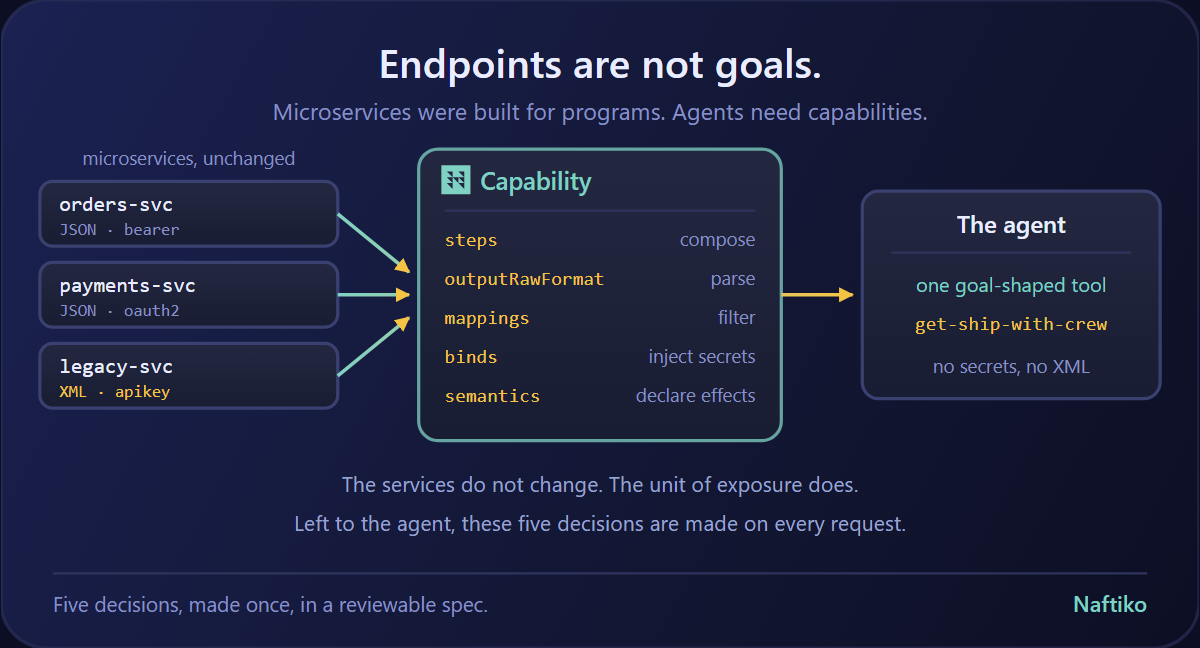
The buyer is changing. The agent reading the integrations page in 2026 doesn’t want a logo grid. It wants to know, in machine-readable form: which of your partner integrations can I invoke right now, with what inputs, against which authentication, returning what shape, on which underlying API operations? The marketing page can’t answer that. The “/docs” link can’t either — every partner integration is a snowflake, hand-rolled, lives in a different doc system, expressed in prose.
What’s broken about today’s integrations pages
Four things, stacked:
- The integration is a logo, not a contract. A logo on a partner directory is a brand promise. It is not a callable thing. It does not declare what operations it consumes, what events it triggers, what data shape it produces. The agent can read your OpenAPI to learn about your API, but the integrations are a separate, undocumented, unreified surface.
- Every integration is bespoke. Read three “Stripe + X” integration docs and you’ll find three completely different patterns. One is a Stripe Connect Custom flow. One is a webhook-to-webhook bridge. One is a polling cron job built into the partner’s worker. There is no shared shape — which means there’s no shared agent affordance.
- The integration is gated behind the partner’s install funnel. To learn what “Stripe + Salesforce” actually does, you have to install both, configure both, click through both OAuth screens, run both workflows. There’s no flat, declarative artifact that says: here are the 4 Stripe operations and the 3 Salesforce operations that compose this integration, here’s how they wire together, here’s what the customer sees.
- Discovery dies at the directory page. Every partner directory ends at “browse and click.” There is no programmable discovery — no way for an agent (or a developer pipeline, or an LLM-driven planner) to ask: what integrations do you have for “subscription billing reconciliation”? You can’t grep a wall of logos.
What the next-generation integrations page looks like
It’s still a page. The page just stops being the source of truth.
The source of truth becomes a declarative integration capability — one YAML (or JSON) document per integration, sitting in a known location, describing:
- The producer operations the integration consumes (HTTP method, path, parameters — straight from the producer’s OpenAPI).
- The partner operations the integration consumes (same, on the partner side).
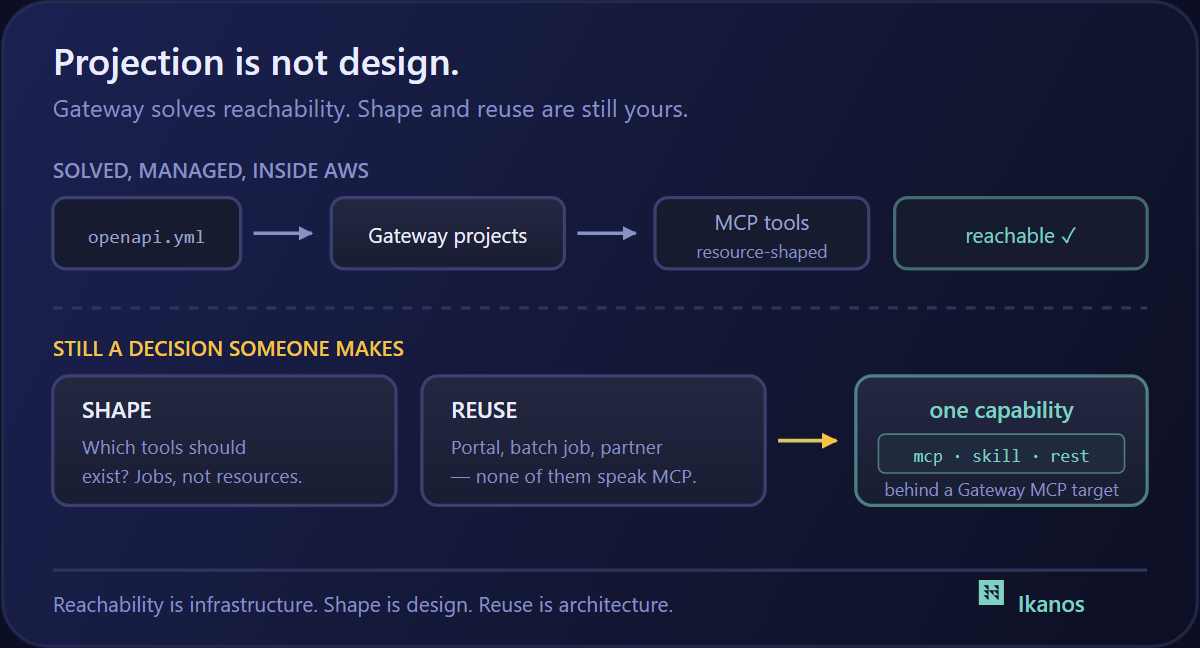
- The exposed surface the integration presents to its caller — typically an MCP tool or a REST endpoint that fires the integration end-to-end.
- The binds the integration requires — environment variables, OAuth scopes, webhook signing secrets.
- The metadata humans need — category, use case, tags, version, owner.
The marketing page can render from that. The agent can read it directly. The CI pipeline can validate it. The customer’s Naftiko Fleet can mount it as a callable capability. Same artifact, served four ways.
A worked example: 54 declarative Stripe integrations
We just shipped this for Stripe in the api-evangelist/stripe repository under /integrations/. Fifty-four integration capability files, one per partner integration:
- CRM/Sales: Salesforce, HubSpot, Pipedrive, Close, Zoho, Outreach
- Email/marketing: Mailchimp, Klaviyo, SendGrid, Customer.io, Iterable, Braze
- Subscription billing: Chargebee, Recurly, Zuora, Maxio, Stigg
- Accounting/ERP: QuickBooks, Xero, NetSuite, Sage Intacct, FreshBooks, Wave
- Tax: Avalara, TaxJar, Vertex, Anrok
- Identity: Auth0, Okta, WorkOS, Clerk
- Analytics: Segment, Mixpanel, Amplitude, Snowflake, Looker
- Support: Zendesk, Intercom, Front, Gorgias
- E-commerce: Shopify, BigCommerce, WooCommerce, Squarespace
- Workflow: Zapier, Make, n8n, Workato
- Notifications: Twilio, Slack, MessageBird
- Fraud/risk: Sift, Riskified, Chargehound
Each one is a Naftiko v0.5 alpha2 capability YAML — the same shape any other Naftiko-runtime engine consumes. Here’s a fragment from stripe-salesforce.yaml:
naftiko: 1.0.0-alpha2
info:
  label: Sync Stripe customers into Salesforce contacts
  description: When a Stripe customer is created, create or update the matching Salesforce Contact (by email) with billing details and lifetime spend.
  tags: [Stripe, Integration, CRM, salesforce]
binds:
  - namespace: env
    keys:
      STRIPE_API_KEY: STRIPE_API_KEY
      SALESFORCE_API_KEY: SALESFORCE_API_KEY
capability:
  consumes:
    - type: http
      namespace: stripe
      baseUri: https://api.stripe.com
      resources:
        - name: v1-customers
          path: /v1/customers
          operations:
            - { name: getcustomers, method: GET, description: List Stripe customers }
        - name: v1-customers-id
          path: /v1/customers/{id}
          operations:
            - { name: getcustomer, method: GET, description: Retrieve a Stripe customer }
    - type: http
      namespace: salesforce
      baseUri: https://yourinstance.my.salesforce.com
      resources:
        - name: contact
          path: /services/data/v60.0/sobjects/Contact
          operations:
            - { name: createcontact, method: POST }
        - name: contact-update
          path: /services/data/v60.0/sobjects/Contact/{id}
          operations:
            - { name: updatecontact, method: PATCH }
  exposes:
    - type: mcp
      namespace: stripe-salesforce-mcp
      tools:
        - name: stripe_salesforce
          description: Execute the stripe salesforce integration end-to-end.
    - type: rest
      namespace: stripe-salesforce-rest
      port: 8080
      resources:
        - path: /stripe-salesforce
          operations:
            - { method: POST, name: trigger, call: stripe_salesforce }
That’s the entire integration. No marketing landing page required. No bespoke install funnel. The agent reading this file can:
- Enumerate the Stripe operations consumed (
getcustomers,getcustomer) - Enumerate the Salesforce operations consumed (
createcontact,updatecontact) - Know which credentials it needs to bind (
STRIPE_API_KEY,SALESFORCE_API_KEY) - Call the integration via MCP or REST without reading any prose
- Validate the contract against the upstream OpenAPI for both producer and partner
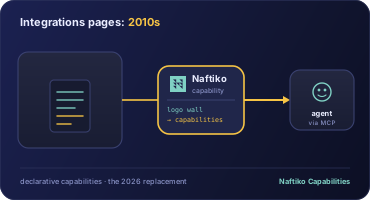
What an API producer’s integrations page becomes
Static directories don’t go away — they get populated from the declarative source instead of authored separately. We’re using apis.io’s page builder to render an exploratory Stripe integration directory.
Every entry on that page is one of the 54 YAMLs in /integrations/. Add a new integration capability → it shows up on the page automatically, with the correct category, the right operation list, and a live “Run this in Naftiko” button instead of a dead “Install” link. Remove an integration → it disappears. Rename it → the URL stays stable on the file slug.
The page is now a view of the underlying capability set. The capability set is the source of truth. The producer doesn’t maintain two artifacts; they maintain one and let the page render itself.
What this unlocks for the consumer
A consumer team integrating Stripe + Salesforce + Mailchimp + QuickBooks no longer reads four bespoke integration docs. They read four files in the same shape. They wire all four into the same Naftiko Fleet. They give their agent one MCP endpoint that exposes the union of all four integrations as tools the agent can pick from.
The consumer’s reasoning model also gets clearer:
- “Which integrations are available?” → enumerate the
/integrations/folder - “What does this integration do?” → read the
info.description - “What credentials do I need?” → read the
bindsblock - “What APIs am I trusting?” → read both
consumesblocks - “How do I call it?” → read the
exposesblock
All of those answers used to require reading marketing pages, install docs, and partner support threads. Now they’re four yq queries against the repo.
What this unlocks for the producer
The producer team that ships an integrations page today is shipping a marketing artifact and an engineering artifact in two different systems. The marketing team owns the directory tiles. The engineering team owns the actual integration plumbing. Neither team owns the canonical contract — and so neither team can audit what the integration actually does without crawling the other team’s documentation.
When the integration moves into a declarative capability:
- One artifact, both audiences. Marketing reads the
infoblock. Engineering reads thecapabilityblock. They’re the same file. - The integration is testable. A capability with a declared consumes block can be smoke-tested against both upstream APIs in CI — you find out the partner’s API changed before your customers do.
- The integration is versionable. Each capability has a
naftiko:version andinfo.modifieddate. When the integration shape changes, the producer can roll the version forward and consumers can opt in. - Discovery is programmable. Every capability file is a record in a queryable set. “Show me all my integrations that talk to a tax provider” is a
grep taxquery, not a directory crawl. - The integration becomes a callable MCP tool. Once your integrations live as Naftiko capabilities, exposing them as MCP is automatic — every agent your customers run now has those integrations in their tool list.
The migration path
For API producers shipping in 2026, the practical path looks like:
- Inventory your current integrations directory. Most producers have somewhere between 30 and 300 partner integrations.
- Express each one as a Naftiko capability YAML. Start with the highest-traffic ten. The shape is mechanical: list the producer operations the integration consumes, list the partner operations, declare the exposed tool surface.
- Commit them to your provider repo under
/integrations/— alongside your OpenAPI, your capabilities, your other artifacts. - Point your integrations page at the folder instead of at a hand-maintained directory database. We use apis.io for this; you can use any static-site builder that can read a directory of YAML.
- Add the
/integrations/folder to your developer docs index — agents will find it by convention the same way they find/openapi/.
The bottom line
The static integrations page was the right answer for the SaaS-marketplace era. It is the wrong answer for the agent era. The agent doesn’t want to be sold to with a logo grid; it wants a callable contract.
Every API producer is going to have an /integrations/ folder full of declarative capabilities by the end of 2026, the same way every producer has an /openapi.yaml today. The producers that ship it first will be the ones whose integrations actually compose with the rest of the agent’s toolchain.
The 54 Stripe integration capabilities we just published are one example. Same pattern works for every producer with a partner ecosystem.
If you’re a producer reading this and thinking we’ve got 200 logos on our directory page and no idea how to express them as declarative artifacts — that’s exactly the part Naftiko does for you.