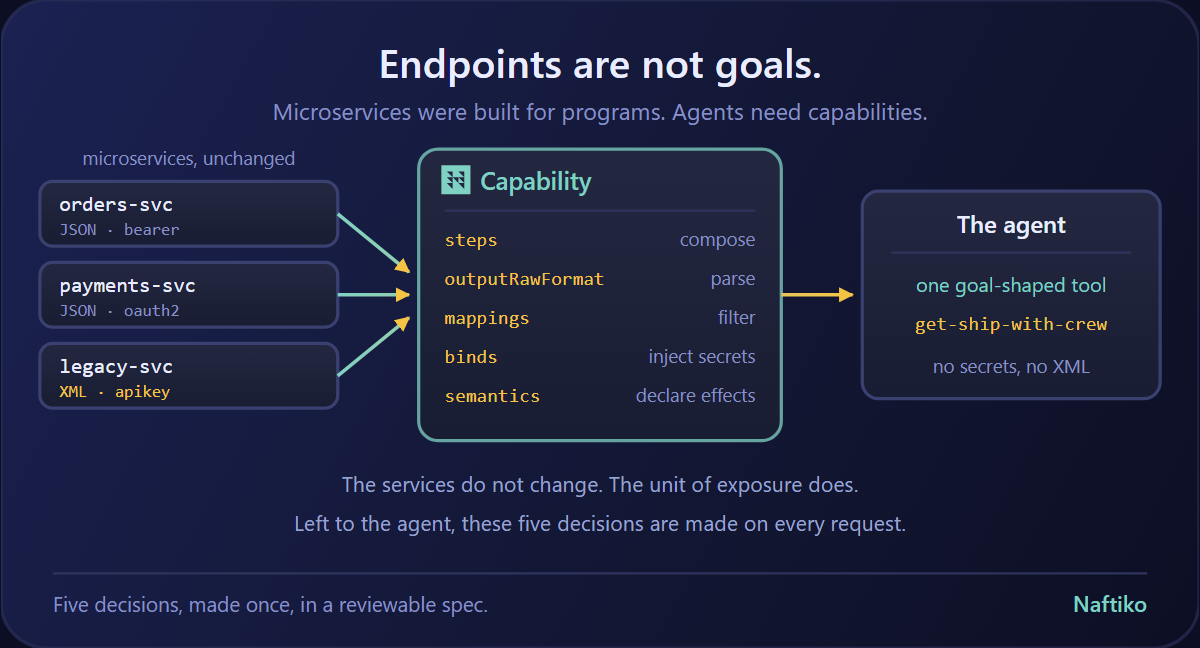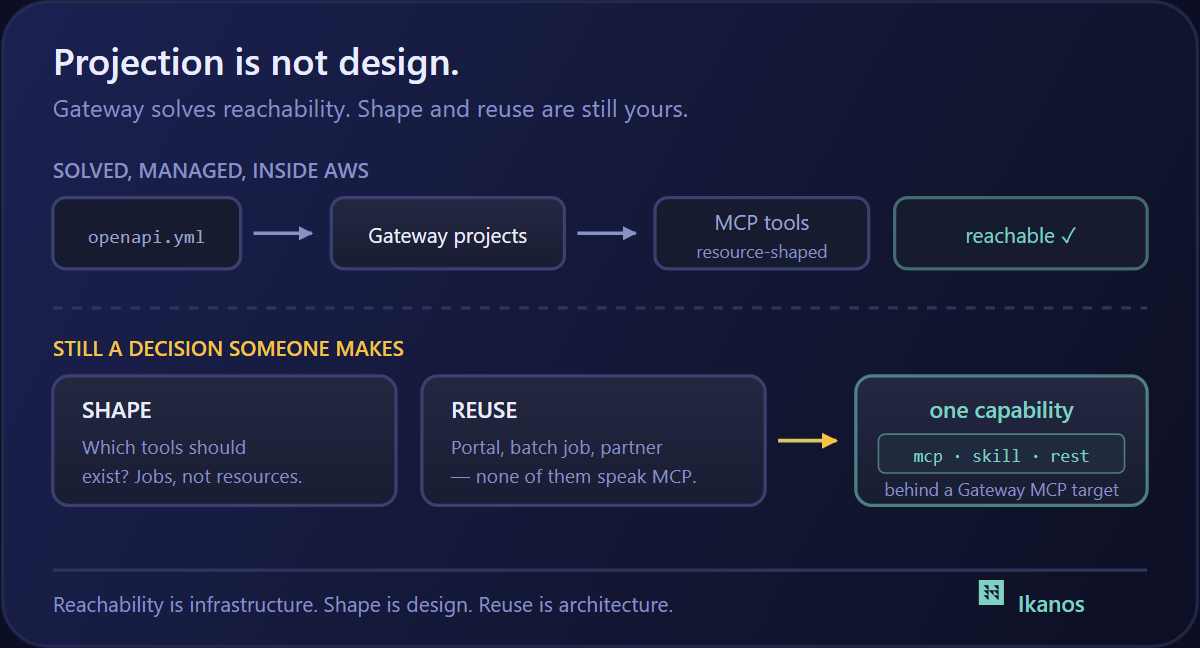
Recently we shipped Ikanos v1.0.0-beta1 — the first release stable enough for real integrations. The headline: build the MCP server your agent needs, not the one your vendor ships. This post is what that looks like in practice.
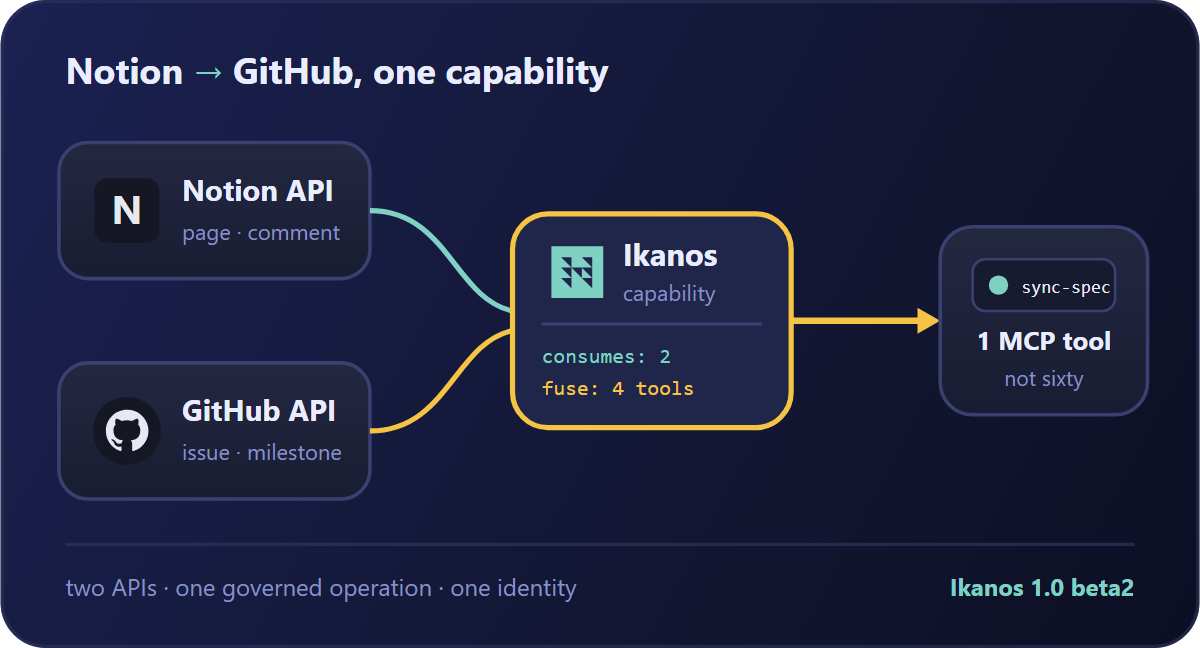
We’ll take a workflow that sounds trivial — “turn this Notion spec page into a GitHub issue” — watch it fall apart on the vendor MCP servers, then rebuild it as a single Ikanos capability: four tools, two APIs, one contract, running inside your own perimeter.
The use case
A product engineer finishes a spec in Notion — a title, an acceptance-criteria section, a priority, and a “Target release.” The golden path:
When a spec page is marked Ready for Eng, create a GitHub issue in the right repo, with the spec body as the issue body, labeled by priority, assigned to the milestone matching the target release, and post a comment back on the Notion page linking to the issue.
Two vendors, both with hosted MCP servers. This should be solved. It isn’t.
Why the vendor MCPs can’t do this
- Neither server can see the other. Notion’s MCP knows Notion; GitHub’s MCP knows GitHub. The unit of match is the agent’s use case, not the vendor’s API — and this one straddles both. Your only option is to make the agent the integration layer, shuttling IDs between two servers and hoping it doesn’t drop the
page_idbetween turns. - The tools you need aren’t on the surface yet. GitHub’s MCP won’t attach an issue to a milestone by name; Notion’s won’t post a comment. The HTTP APIs support both — you’re blocked by the subset someone chose to expose.
- Tool bloat drowns the four tools you want. Two full vendor MCPs put 60+ tools in front of an agent that needs exactly four — flooding the context window and degrading tool selection.
- The shapes don’t line up. Notion returns deeply-nested
properties($.properties.Priority.select.name); GitHub wants a flat{ "title", "body", "labels", "milestone" }. Left to the agent, that mapping is re-derived — slightly differently — every run. - Two new governance surfaces, zero governance. Each hosted vendor MCP is a new third-party endpoint to onboard, scope, and monitor — two audit gaps, and still no single answer to “which agent, which identity, which cost?”
None of these are intrinsic to MCP. They’re intrinsic to consuming someone else’s generic servers.
The Ikanos answer: one capability, two APIs, four tools
Ikanos is spec-driven: you declare the capability in YAML, and the engine serves it as an MCP server (and REST, and Skill) with no code generation. Crafter, our VS Code extension, validates and lints the spec as you type. Here’s the shape that matters.
First, consume both APIs — each a consumes adapter with its own auth:
ikanos: "1.0.0-beta2"
info:
  display: "Notion → GitHub Spec Sync"
  description: "Turn a Notion spec page into a labeled, milestoned GitHub issue"
  tags: [Notion, GitHub, DevEx]

capability:
  consumes:
    - namespace: notion
      type: http
      baseUri: https://api.notion.com/v1
      authentication:
        type: bearer
        token: "{{NOTION_TOKEN}}"
      inputParameters:
        Notion-Version:
          in: header
          value: "2022-06-28"
      resources:
        page:
          path: /pages/{{page_id}}
          operations:
            get-page:
              method: GET
              inputParameters:
                page_id: { in: path }
        comments:
          path: /comments
          operations:
            # This is the tool the vendor MCP doesn't expose.
            post-comment:
              method: POST
              body: |
                {
                  "parent": { "page_id": "{{page_id}}" },
                  "rich_text": [{ "text": { "content": "{{message}}" } }]
                }

    - namespace: github
      type: http
      baseUri: https://api.github.com
      authentication:
        type: bearer
        token: "{{GITHUB_TOKEN}}"
      resources:
        issues:
          path: /repos/{{owner}}/{{repo}}/issues
          operations:
            create-issue:
              method: POST
              body: |
                {
                  "title": "{{title}}",
                  "body": "{{body}}",
                  "labels": {{labels}},
                  "milestone": {{milestone_number}}
                }
              outputParameters:
                issueUrl: { type: string, mapping: $.html_url }
                issueNumber: { type: number, mapping: $.number }
        milestones:
          path: /repos/{{owner}}/{{repo}}/milestones
          operations:
            # Resolve a milestone *name* to the number the issues API wants.
            list-milestones:
              method: GET
Now the orchestration — one flow that reads Notion, resolves the milestone, opens the issue, and comments back. This is the step no vendor MCP can express, because it crosses both APIs:
  aggregates:
    - display: Spec Sync
      namespace: sync
      flows:
        spec-to-issue:
          description: Create a GitHub issue from a Notion spec page
          inputParameters:
            page_id: { type: string, required: true }
            owner:   { type: string, required: true }
            repo:    { type: string, required: true }
          steps:
            fetch-spec:
              type: call
              call: notion.get-page
              with: { page_id: sync.page_id }
            find-milestone:
              type: call
              call: github.list-milestones
              with: { owner: sync.owner, repo: sync.repo }
            open-issue:
              type: call
              call: github.create-issue
              with:
                owner: sync.owner
                repo:  sync.repo
                # Shape-mapping happens here, once, in the spec — not in the prompt.
                title:  $.fetch-spec.properties.Name.title[0].plain_text
                body:   $.fetch-spec.properties["Acceptance Criteria"].rich_text[0].plain_text
                labels: [$.fetch-spec.properties.Priority.select.name]
                milestone_number: $.find-milestone[?(@.title == $.fetch-spec.properties["Target release"].select.name)].number
            notify-notion:
              type: call
              call: notion.post-comment
              with:
                page_id: sync.page_id
                message: "Synced to GitHub issue #{{open-issue.issueNumber}}: {{open-issue.issueUrl}}"
          outputParameters:
            issueUrl: { type: string, mapping: $.open-issue.issueUrl }
Finally, expose only this one flow as an MCP tool — with hints that tell the agent exactly how safe it is:
  exposes:
    - type: mcp
      address: 0.0.0.0
      port: 9095
      namespace: spec-sync
      authentication:
        type: oauth2          # Your identity, on a transport your gateway understands
        authorizationServerUri: "https://login.example.com"
        resource: "https://spec-sync.example.com/mcp"
      tools:
        sync-spec-to-issue:
          display: Sync Notion spec to GitHub issue
          description: >
            Reads a Notion spec page and creates a labeled, milestoned GitHub
            issue, then comments the issue link back on the Notion page.
          call: sync.spec-to-issue
          hints:
            # Only the non-default hint: this write is not destructive.
            # (readOnly, idempotent, openWorld all keep their defaults.)
            destructive: false
    - type: control           # Health, metrics, traces — governance out of the box
      address: 0.0.0.0
      port: 9198
      management:
        health: true
Run it:
ikanos validate ./notion-github-spec-sync.yaml
ikanos serve    ./notion-github-spec-sync.yaml
The agent now sees one tool — sync-spec-to-issue — not sixty. Every painpoint is answered:
- Two APIs, one server. The flow reads Notion and writes GitHub in one governed operation; the agent never shuttles IDs.
- The missing tools are here.
notion.post-commentand milestone-by-name resolution hit the HTTP APIs directly — no waiting on the vendor surface. - No bloat. Four upstream operations collapse into one curated tool.
- Mapping lives in the spec. The
properties.*JSONPath is written once, reviewed in a PR, and never re-derived at runtime. - One governance perimeter. OAuth 2.1 on the exposure, a control port emitting health and traces, credentials from your own secrets — one surface to onboard, not two vendor endpoints.
The token math: why “one tool” is also cheaper
“No bloat” is also a line on your bill. Consuming two vendor MCPs taxes the model on three compounding axes:
1. Tool-schema tokens — the fixed per-turn tax. Every tool’s name, description, and schema is re-injected on each model turn. Sixty-plus tools is a large constant overhead paid before any reasoning. If the full pair of servers runs ~15k tokens and one focused tool ~300, that’s roughly a 50× reduction on the per-turn floor — every turn, every run.
2. Orchestration tokens — payloads that never needed the model. When the agent is the integration layer, the full Notion page JSON, the milestone list, and the created-issue response all flow through its context so it can forward IDs — several thousand tokens of transient JSON per run. Inside an Ikanos flow that data moves server-side and never enters the context window.
3. Retry-and-repair tokens — the worst offender. A re-derived mapping mis-spells a JSONPath or hands a milestone name where a number was wanted. Each failure is paid for twice — the failed attempt plus the retry. A 20% repair rate is a 1.2× multiplier on your entire token cost; a reviewed spec drives it toward zero.
Net: the vendor-MCP path spends most of its tokens on schema overhead and shuttled payloads; the capability path spends them on the one decision that matters — calling sync-spec-to-issue. This is a single-digit-to-double-digit multiple on cost per run, dominated by the fixed schema tax and amplified by every retry you no longer incur. Measure your own in the spike below — the direction never changes.
And because the capability owns the spec, not the server, the stateless MCP transport revision expected this summer is a one-line engine bump — no change to your YAML.
The mini-spike: “Notion → GitHub in an afternoon”
Want to prove it before committing? A scoped spike — one engineer, half a day.
Goal. Ship an MCP server exposing one sync-spec-to-issue tool that turns a Notion spec page into a labeled, milestoned GitHub issue and comments the link back.
Timebox. 4 hours.
Prerequisites.
- Ikanos v1.0.0-beta2 (the prebuilt native binary or the Docker image).
- A Notion integration token with read + comment access to a test page.
- A GitHub PAT (fine-grained, one repo) with
issues:write. - A throwaway Notion page and a throwaway GitHub repo with 2–3 milestones.
Steps.
- Baseline the pain (30 min). Wire the stock Notion and GitHub MCPs into a client and prompt the full workflow. Note every fumble — the missing comment tool, missing milestone-by-name, cross-server ID juggling. This is your before-picture.
- Consume (60 min). Write the two
consumesadapters.ikanos validate, then confirmnotion.get-pageandgithub.list-milestonesreturn what you expect. - Fuse (60 min). Write the
spec-to-issueaggregate. Get theproperties.*JSONPath right against your real page shape; confirmgithub.create-issuefires with a resolved milestone number. - Close the loop (30 min). Add
notify-notioncallingnotion.post-comment. Confirm the comment lands with the live issue URL. - Expose + govern (45 min). Add the single-tool
mcpexposure with OAuth 2.1 and thecontrolport.ikanos serve, then run it end-to-end from one tool call. - Compare (15 min). Sixty tools vs. one, two servers vs. one operation, two audit gaps vs. one control port. If your client reports token usage, record both paths — the schema tax is visible before the first real tool call.
Definition of done. One tool call turns a Notion spec into a correctly-labeled, correctly-milestoned GitHub issue with a comment linking back — and the control port answers which agent, which identity, which cost.
Stretch goals. A readiness guard that no-ops unless the page is Ready for Eng; the same flow exposed as REST for a webhook; a second tool syncing the other direction.
The takeaway
The workflow was never hard — the APIs support all of it. What was hard is that two vendor MCPs each expose everything and connect to nothing, pushing the integration into the agent’s context window where it’s slow, expensive, and unreliable.
A capability puts it back where it belongs: a versioned spec, fusing exactly the tools the use case needs across as many APIs as it takes, governed on one surface. That’s the difference between an agent that calls two MCPs and an agent with one tool that just works.