
I am four posts into walking back through the Naftiko Framework use cases, and this is the one I have been looking forward to, because it is the use case that everybody has and nobody talks about. Every operations team I have worked with in the last decade has a Google Sheet somewhere that is quietly running part of the business. Inventory levels. Partner tiers. Pricing tables. Rollout schedules. SKU overrides. The sheet is the system of record, whether the architecture diagram admits it or not.
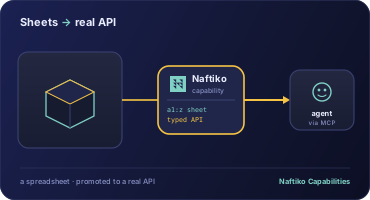
So that is where this use case lives — Elevate Google Sheets API. Wrap Google Sheets as a capability so spreadsheet rows become a reusable, domain-specific API for traditional clients and AI agents.
What Google’s API actually gives you
Google exposes a Sheets REST API, and it works. You can hit /v4/spreadsheets/{spreadsheetId}/values/{range} with an API key and you get back JSON. The problem is what the JSON looks like.
{
  "range": "Inventory!A2:D",
  "majorDimension": "ROWS",
  "values": [
    ["SKU-001", "Widget", "42", "in_stock"],
    ["SKU-002", "Gadget", "0",  "backorder"],
    ["SKU-003", "Sprocket", "17", "in_stock"]
  ]
}
That is a positional array. Nothing in the response tells a consumer that index 0 is a SKU, that index 2 is a quantity that should be a number, or that index 3 is a status enum. The column names live in row 1 of the sheet, outside the payload. Every downstream system — an app, a script, a copilot — has to re-learn that ordering.
This is the API space’s version of a CSV without a header. It is technically data. It is not a contract.
The capability fix
The Naftiko capability spec treats the Sheets API the same way it treats any other upstream — declare it in consumes, declare the named output shape in exposes, and let positional JSONPath mapping do the work between them.
naftiko: "1.0.0-alpha1"

info:
  title: Inventory From Google Sheets
  description: "Operations inventory sheet exposed as a governed capability for apps and AI agents"

capability:
  consumes:
    - namespace: gsheets
      type: http
      baseUri: "https://sheets.googleapis.com"
      authentication:
        type: apikey
        key: key
        value: "{{GOOGLE_SHEETS_API_KEY}}"
        placement: query
      resources:
        - name: values
          path: "/v4/spreadsheets/{spreadsheetId}/values/{range}"
          operations:
            - name: read-range
              method: GET
              inputParameters:
                - name: spreadsheetId
                  in: path
                  type: string
                  required: true
                - name: range
                  in: path
                  type: string
                  required: true

  binds:
    - name: GOOGLE_SHEETS_API_KEY
      source: env

  exposes:
    - type: mcp
      namespace: inventory
      tools:
        - name: list-inventory
          description: "List SKUs, names, quantities, and stock status from the operations inventory sheet"
          hints:
            readOnly: true
            idempotent: true
          call: gsheets.read-range
          with:
            spreadsheetId: "1AbCDeFgHiJkLmNoPqRsTuVwXyZ-example"
            range: "Inventory!A2:D"
          outputParameters:
            - type: array
              mapping: "$.values"
              items:
                type: object
                properties:
                  - name: sku
                    type: string
                    mapping: "$[0]"
                  - name: name
                    type: string
                    mapping: "$[1]"
                  - name: quantity
                    type: integer
                    mapping: "$[2]"
                  - name: status
                    type: string
                    mapping: "$[3]"

    - type: rest
      basePath: "/api/inventory"
      endpoints:
        - method: GET
          path: "/"
          description: "List inventory SKUs and quantities"
          call: gsheets.read-range
          with:
            spreadsheetId: "1AbCDeFgHiJkLmNoPqRsTuVwXyZ-example"
            range: "Inventory!A2:D"
One YAML file. No Python. No Apps Script. The positional mapping — $[0], $[1], $[2], $[3] — is the load-bearing piece. It is how you turn a nameless row of strings into a typed {sku, name, quantity, status} object, and then expose that same object on an MCP tool and a REST endpoint at the same time.
Three dimensions, one sheet
Every API topic has three dimensions. This one is no exception.
Technology. The Sheets API is fine. The problem is that $.values is not a schema. The capability layer adds the schema. outputParameters with positional JSONPath mapping is doing what a header row does for a CSV — except it is declared in Git, typed, and validated. quantity becomes an integer, not a string. status becomes a named field. The engine reshapes the response before anything — app, agent, or reviewer — sees it.
Business. This is the part that actually matters. The spreadsheet that is quietly running the business is usually owned by the operations team, not the platform team. Nobody has ever governed it. The capability spec gives operations a way to keep owning the sheet while the platform team owns the contract. Columns can move, rows can grow, but the exposed contract — the named fields, their types, the basePath — stays stable. Consumers do not break when a column gets added in position 5.
Politics. There is a conversation I have had more times than I can count. Engineering says “the real system of record is the database.” Operations opens a sheet and shows me the live numbers that are actually running fulfillment. Both are telling the truth. The capability spec lets both be true without anybody losing face. The sheet stays the sheet. The API is the capability. The platform team gets an artifact to lint with Spectral. Operations keeps the tool they actually use to run the business.
Features that carry this use case
These are the wiki features that do the real work:
- Declarative Google Sheets consumption with templated
spreadsheetIdandrangepath parameters — one capability can read any sheet, any range - API key injection via
binds— the key never lives in the spec, it comes from env, file, or vault - Row-to-object transformation with positional JSONPath mapping (
$[0],$[1],$[2]) — the thing that makes a row actually mean something - Typed output parameters —
integer,string,number, not “whatever Sheets handed us” - Dual-channel exposure — one capability, one reshaping, two listeners: MCP for agents, REST for apps
What this pattern unlocks
The thing I keep coming back to is that every company I have worked with has five to fifty of these spreadsheets. Partner lists. Feature-flag matrices. Regional pricing. Event rosters. The moment you have a capability for one of them, you have a template for all of them. Copy the YAML, change the spreadsheetId, change the positional mappings, rename the output fields. Done. The spreadsheet keeps being the spreadsheet. The API becomes governed.
That is also why this is the use case I trot out when somebody asks “is Naftiko useful if we don’t have an MCP strategy yet?” You do not need one. You need a sheet and an API key. The capability is valuable before a single agent calls it, because it is the first time that sheet has ever had a contract.
Next
Next in the series is Compose AI context — combining multiple consumed APIs into one capability so an agent gets task-ready context from across systems, not one source at a time.
- Wiki: Guide — Use Cases
- GitHub: github.com/naftiko/framework
- Fleet Community Edition: github.com/naftiko/fleet
I will keep walking the list.