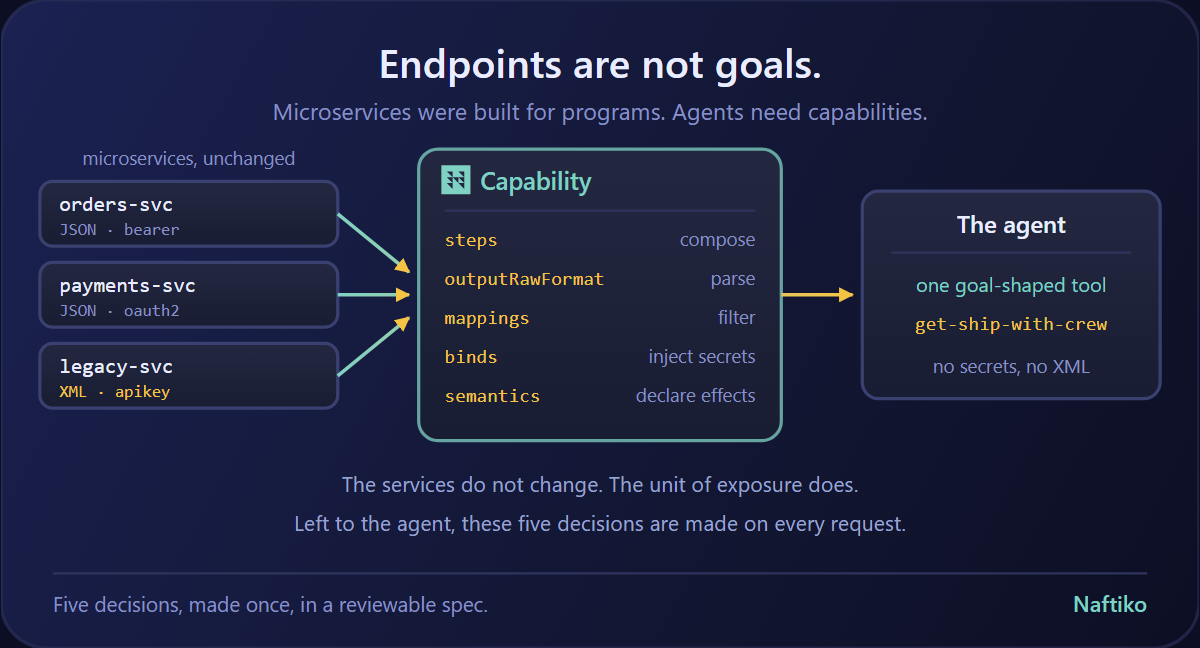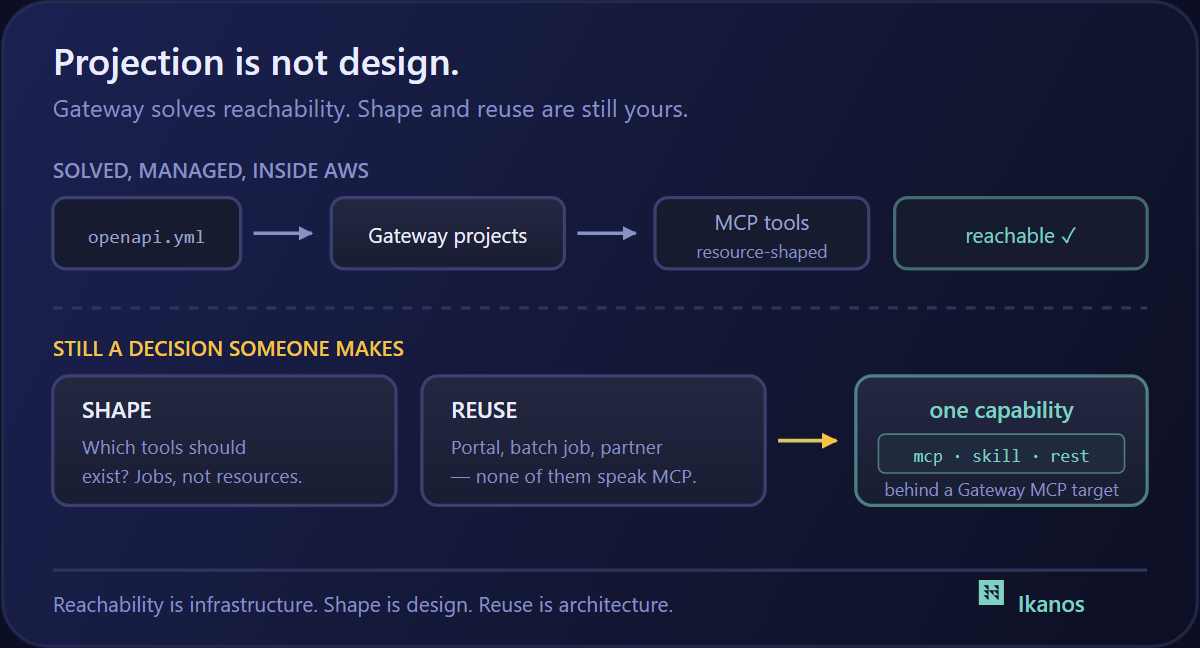

The Naftiko Framework’s Shipyard tutorial walks through eleven YAML files. It starts with a thirty-line mock and ends with step-11-shipyard-fleet-manifest.yml — 832 lines, three protocol adapters, two consumed APIs, a domain-driven aggregate, bound secrets, and authenticated endpoints. Each step in the middle layers more onto the last. The progression is real and the YAMLs are well-sized.
The interesting deploy is the last one.
Step 1 is what you run to prove the engine reads YAML. Step 11 is what you run to feel what the framework actually produces — a capability that looks and behaves like a piece of governed integration infrastructure, not a tutorial demo. It’s a different artifact than the mock. And until now you couldn’t get to it without the local Docker dance, the multi-file mount, the port forwarding, and a client that could reach localhost.
That changes today. One click, two minutes, you have it running.
What’s actually running
The deployed capability is the cumulative final state of the Shipyard Track. It exposes three servers from a single capability YAML:
| Adapter | Path | Namespace | Tools / resources |
|---|---|---|---|
| MCP | POST /mcp |
shipyard-tools |
list-ships, get-ship, list-legacy-vessels, create-voyage, get-ship-with-crew, get-voyage-manifest |
| REST | /api/... |
shipyard-api |
Ships, voyages, manifests, legacy vessels — same domain, REST shape |
| SKILL | /skill |
shipyard-skills |
Skill groups for structured agent discovery |
Behind those, the engine consumes two upstream APIs:
- Maritime Registry at
mocks.naftiko.net/rest/naftiko-shipyard-maritime-registry-api/1.0.0-alpha2— bearer auth - Legacy Dockyard at
mocks.naftiko.net/rest/naftiko-shipyard-legacy-dockyard-api/1.0.0-alpha2— API key auth
Both are public Naftiko mocks. The deploy ships dummy tokens in capability/shared/secrets.yaml that work against the public mocks — no real upstream credentials required to exercise the full flow.
The MCP server itself requires a bearer token to call. The deploy ships a dummy token (sk-mcp-YYYYYYYYYYYY) so you can wire it into a client immediately. For a real deployment you’d swap the token before redeploying.
The Cloudflare shape
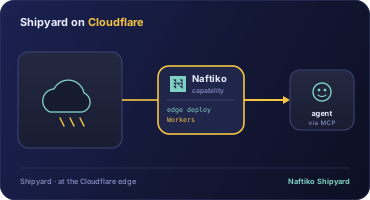
The Naftiko Framework engine ships as a Docker image — ghcr.io/naftiko/framework:latest — that takes a capability YAML as its argument and exposes the declared servers on the declared ports. That maps cleanly onto Cloudflare Containers:
- A small Worker fronts the public hostname and routes traffic to the right port —
/mcpto MCP on 3001,/skillto SKILL on 3003, everything else to REST on 3002, with a landing page on/ - A Durable Object brokers a single container instance
- The container is
FROM ghcr.io/naftiko/framework:latestwithcapability/copied into/app/, exposing 3001/3002/3003
Five files in the deploy repo do the work — the capability YAML, the three shared imports, the Dockerfile, the wrangler config, the Worker. The same shape powers manage-companies in production today against the live companies.naftiko.io data. The Shipyard end-to-end deploy is the production pattern, sized to the canonical tutorial example.
What you do after the button
Click. Cloudflare authenticates you, forks naftiko/shipyard-cloudflare into your account, provisions a Worker plus a Container, builds the Dockerfile, and assigns you a *.workers.dev hostname. Two to three minutes from click to live URL.
When it finishes you have:
https://<your-worker>.workers.dev/— plain-text landing page describing the capabilityhttps://<your-worker>.workers.dev/mcp— Naftiko Framework MCP server, requires bearer authhttps://<your-worker>.workers.dev/api/...— REST adapterhttps://<your-worker>.workers.dev/skill— Skill server
That MCP URL is the interesting one. It is what you give to your AI tools.
Wiring the MCP endpoint into your AI tools
The MCP server speaks streamable HTTP. The token is the dummy sk-mcp-YYYYYYYYYYYY that ships in the deploy unless you’ve changed it. Substitute your worker URL where you see <your-worker> below.
Claude Desktop
Edit ~/Library/Application Support/Claude/claude_desktop_config.json (Mac) or %APPDATA%\Claude\claude_desktop_config.json (Windows) and add a mcpServers entry:
{
  "mcpServers": {
    "naftiko-shipyard": {
      "type": "streamable-http",
      "url": "https://<your-worker>.workers.dev/mcp",
      "headers": {
        "Authorization": "Bearer sk-mcp-YYYYYYYYYYYY"
      }
    }
  }
}
Restart Claude Desktop. The Shipyard tools appear in the model picker — list-ships, get-ship, create-voyage, and the rest. Ask Claude something like “List all active ships in the registry” and watch it call list-ships.
Claude Code
From the terminal, one command:
claude mcp add --transport http naftiko-shipyard https://<your-worker>.workers.dev/mcp \
  --header "Authorization: Bearer sk-mcp-YYYYYYYYYYYY"
Confirm with claude mcp list. The tools are immediately available inside any Claude Code session.
ChatGPT
ChatGPT supports remote MCP servers through Custom Connectors (Pro and Enterprise plans). In the ChatGPT app:
- Open Settings → Connectors → Custom
- Choose Add custom connector
- Server URL:
https://<your-worker>.workers.dev/mcp - Authentication: select Custom header
- Header name:
Authorization - Header value:
Bearer sk-mcp-YYYYYYYYYYYY - Save
The Shipyard tools become callable from any conversation that has the connector enabled. ChatGPT’s connector UI changes occasionally — if your version exposes a different shape, the canonical reference is at https://platform.openai.com/docs/mcp.
Gemini CLI
Gemini CLI reads MCP config from ~/.gemini/settings.json. Add a mcpServers block:
{
  "mcpServers": {
    "naftiko-shipyard": {
      "httpUrl": "https://<your-worker>.workers.dev/mcp",
      "headers": {
        "Authorization": "Bearer sk-mcp-YYYYYYYYYYYY"
      }
    }
  }
}
Restart gemini. Confirm with /mcp list. The tools surface inside any Gemini CLI session, including from Gemini Code Assist when used in VS Code.
What this means past the demo
The Shipyard end-to-end is a sample. The interesting thing is that it isn’t shaped any differently from a real Naftiko capability. The same one-click deploy pattern — capability YAML in a folder, Dockerfile pulling the framework image, Worker proxying ports, Durable Object brokering a container — is what manage-companies runs in production. It’s what the next capability you write should run on. The tutorial just gives you a complete example to start from.
That is the actual unlock. You now have a public MCP endpoint that you control, callable from Claude, Claude Code, ChatGPT, and Gemini. Replace the YAML in your fork, redeploy, and the URL stays stable while the tools change underneath. That is a different kind of artifact than a tutorial — it is the durable shape of how AI agents will consume your APIs going forward.
— Kin
P.S. The deploy assets are at https://github.com/naftiko/shipyard-cloudflare, kept in their own repo so the framework repo stays runtime-neutral. Fork it, edit the capability YAML, click your own button. The framework wiki is at https://github.com/naftiko/framework/wiki — the Shipyard Track tutorial walks through every step of the YAML you are now running.